Tasks
|
Tasks in IFS Cloud serve as reminders for yourself or your colleagues regarding various actions to be taken. You can create tasks manually through Event Actions or have them generated by an external workflow engine. To understand more about Event Actions, refer to the Technical Documentation. A task can be created to notify about one or multiple actions within IFS Cloud Web. To see the actions that need attention, click on the task tile or explore additional actions. |
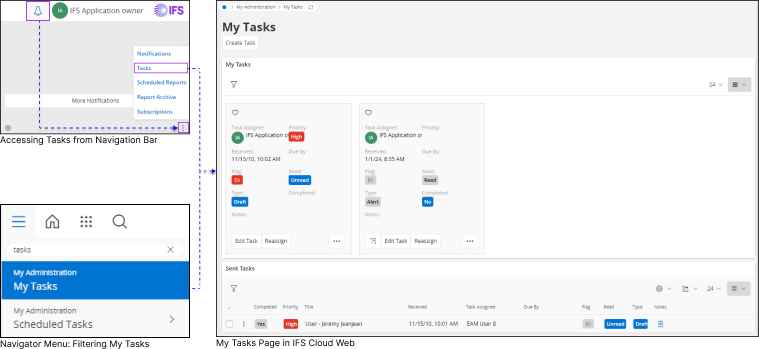 |
How to Access My Tasks Page In order to view your tasks use the following steps:
And Click the Tasks tile to access My Tasks page Or
|
|
Please Note: In IFS Cloud, only the task assignee can edit a task. Once you create a task and assign it to another user, the user who initially created the task will no longer be able to edit it. |


Properties of a Task Tile |
||||||||||||||||||||||||||||||||||||||||||||||||||||||||||||||||||||||||||||||||||||||||||
|
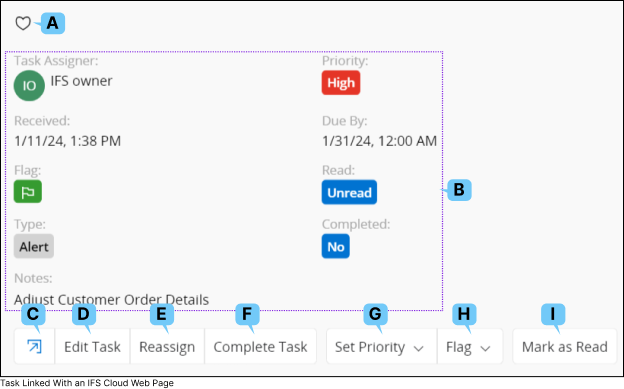
Upon entering the My Tasks Page, you can switch the view of the My Tasks list to Card View through the View Mode option. For detailed instructions on altering table views, refer to the Working With Tables: Card View section. |
 |
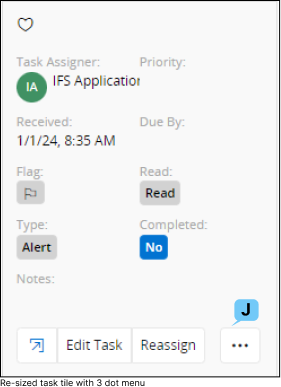 |
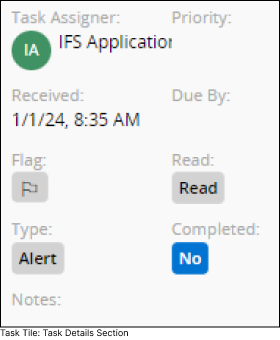
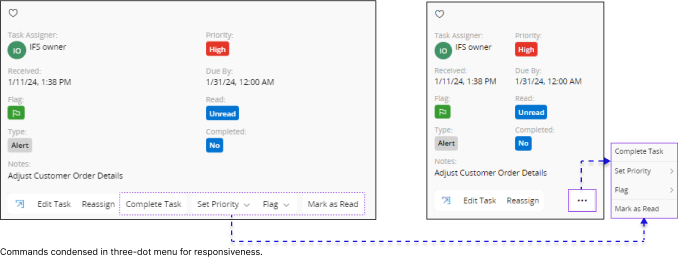
In Card View mode, you can effortlessly access all the options linked with a task. The size of the Task Tile may vary based on your screen size, and any additional options displayed in the Task Tile will be consolidated into a three-dot button if it cannot be shown.
|
|||||||||||||||||||||||||||||||||||||||||||||||||||||||||||||||||||||||||||||||||||||||
|
||||||||||||||||||||||||||||||||||||||||||||||||||||||||||||||||||||||||||||||||||||||||||







Create Task
You can create a new task from My Tasks Page or any IFS Cloud Records page by following the steps below: |
||||||||||
Create a Task from a My Tasks Page |
Create a Task from a IFS Cloud Page |
|||||||||
|
|

|
|||||||||
|
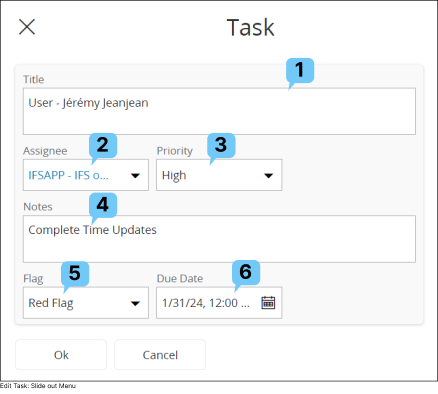
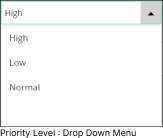
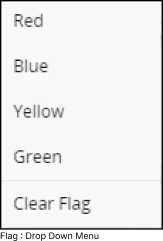
Once you access the Create Task slide-out menu, fill out the information following the same instructions provided in the Edit Task section above. |
||||||||||


View Task
You can view all the tasks assigned to you and all the tasks assigned by you, via My Tasks page.


- All the tasks assigned to you are shown in My Tasks section.
- All the tasks assigned by you are shown in Sent Tasks section.
Subscribe to a Task
If you wish to subscribe to a task:
- Switch the view of My Tasks or Sent Tasks sections from Card View to either Table View or List View.
- After switching the view, when you select a task from either the table or the list, the subscribe option will appear in the Command Bar of the table.
- Adhere to the guidelines outlined in the Subscription section to subscribe to the task accordingly.
